Plumbing CRM & Scheduling Built for Service Contractors
Respond to new plumbing leads, book service calls, follow up on estimates, keep technicians informed, and make sure every customer has a clear next step.

From Emergency Call to Completed Plumbing Job
A homeowner has no hot water. A drain backup needs immediate attention. A customer requests a repipe estimate. A technician finishes a service call while three more inquiries are waiting. The system should make sure each request gets answered, assigned, scheduled, followed up with, and closed out without everything depending on someone remembering what comes next.
Respond While the Customer Is Still Looking for a Plumber
A plumbing lead can turn cold very quickly. When someone contacts the company, the system can move them forward instead of letting the request sit.
After-Hours Plumbing Calls Still Need a Next Step
Someone with water running into their basement is not waiting until tomorrow morning to start calling plumbers. Different paths handle different situations.
Emergency
- 1Call received
- 2Issue identified
- 3Emergency criteria checked
- 4On-call team alerted
Standard Service
- 1Call received
- 2Information captured
- 3Appointment offered
- 4Confirmation sent
Estimate Request
- 1Request captured
- 2Estimate appointment booked
- 3Sales pipeline updated
Existing Customer
- 1Customer identified
- 2Reason for call captured
- 3Routed appropriately
Your company decides what qualifies as urgent. The system follows those rules.
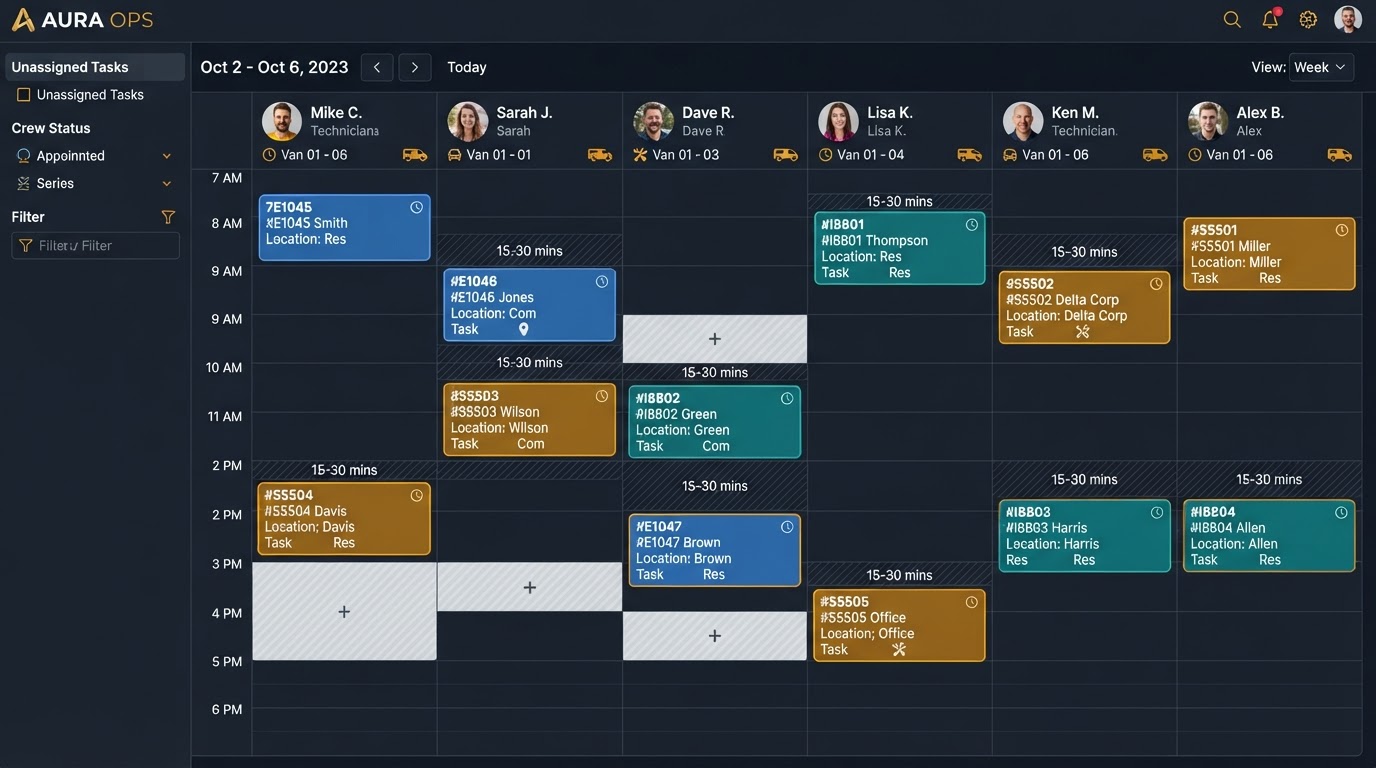
Plumbing Scheduling That Keeps the Office and Field Team Aligned
For every service call, the office and the field should see the same information so no one shows up blind.
Plumbing Estimates Shouldn't Disappear After They're Sent
Sending a quote does not mean the homeowner made a decision. This is especially true for repipes, sewer replacements, water heaters, remodel plumbing, larger repairs, and commercial work.
See Every Plumbing Opportunity and What Happens Next
Your office should not need to search texts, notebooks, voicemails, and individual phones to understand what happened with a customer.
Give Technicians the Information They Need Before They Arrive
A technician who shows up without the customer history wastes the first ten minutes asking questions that should have been answered before the drive.
Before the Job
- Customer information
- Property address
- Reason for visit
- Appointment details
- Previous communication
- Job notes
During the Job
- Photos
- Notes
- Status updates
- Additional work identified
After the Job
- Completion
- Customer update
- Invoice or payment process
- Review request
- Future follow-up
Turn Water Heater Inquiries Into Scheduled Jobs
"My water heater is leaking."
Issue captured
Customer and address confirmed
Service appointment offered
Appointment confirmation
Technician notified
After the job is done, the same record carries the completion, the review request, and the future service history.
How a Plumbing Shop Uses It
Ridgeline Plumbing & Drain
Visit ridgeline-plumbing.vibepreview.com →
Emergency calls and customer requests needed a more consistent response and routing process.
- Lead intake
- Immediate customer response
- Booking flow
- Technician notification
- Follow-up
- Review process
Every emergency call gets a response in under 10 seconds and a next step on the calendar instead of voicemail.
“Before North & Nova, emergency calls coming in while our techs were on crawlspace jobs were getting lost. Now, missed-call text-back catches every leak and water heater inquiry within seconds, and our quotes get signed before competitors even return the call.”
< 10 Seconds
Speed to lead response
100% Mobile
Tech field dispatch
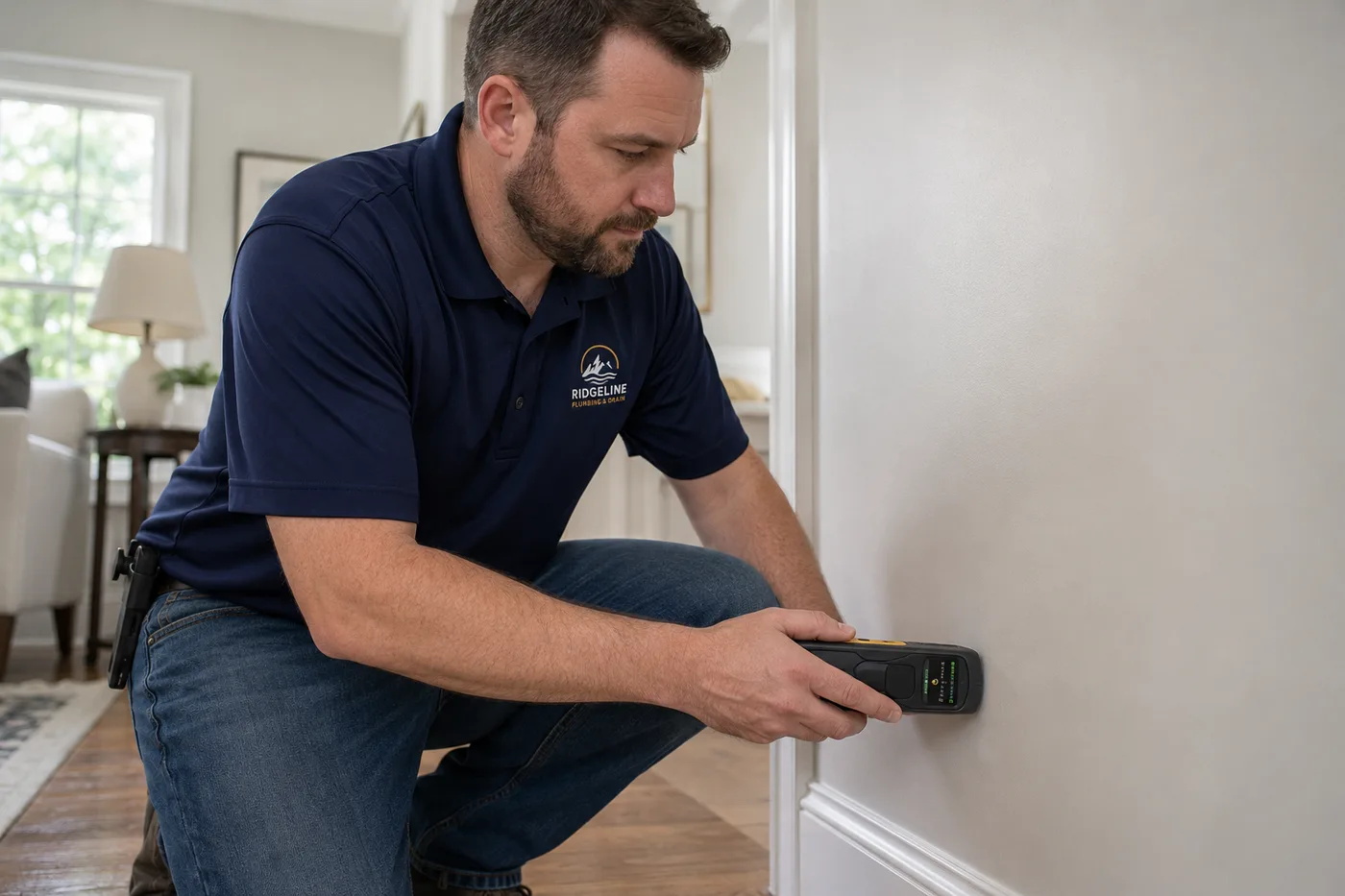
Ridgeline tech on-site performing non-invasive moisture & pipe diagnostics.
Already Using ServiceTitan, Housecall Pro, Jobber, or QuickBooks?
You do not automatically need another replacement platform. If your current software handles dispatch, invoicing, or accounting well, keep it. North & Nova can focus on the gaps around it.
North & Nova builds the customer and follow-up layer around the field software that is already doing its job, instead of asking you to replace everything.
Plumbing marketing & CRM in your city
We tune every plumbing system to the specific city and search behavior of its homeowners. See how our plumbing revenue systems work in each local market:
Plumbing CRM Software FAQ
Direct answers about lead response, scheduling, estimate follow-up, after-hours calls, and reviews for plumbing companies.
Plumbing CRM software tracks customers, inquiries, estimates, conversations, appointments, and sales opportunities so the office can see what is happening with each customer and what needs to happen next.
The right CRM depends on the size and type of company. A residential service plumber usually needs fast lead response, scheduling, customer communication, estimate follow-up, and reviews. Larger plumbing companies may also require deeper dispatch, technician management, accounting, inventory, and reporting.
Yes. Customers can be moved from inquiry into available appointment times while the office and assigned staff receive the relevant job information.
Yes. Estimate follow-up can start after a quote is sent and stop when the customer replies, approves the job, or the opportunity is closed.
Yes. Different rules can be created for emergencies, routine service calls, estimates, and existing customers, so an after-hours call still gets a next step instead of voicemail.
Yes. Mobile-friendly access can give field employees customer information, service details, notes, appointment information, and communication history before they arrive.
Yes. Confirmation and reminder messages can be triggered around scheduled service calls to cut no-shows without anyone on the team remembering to text.
Yes. Completed jobs can trigger review requests based on the process you establish, while the customer is still happy with the work.
Not necessarily. ServiceTitan is a much broader field-service platform. If it already handles important parts of your business well, North & Nova can focus on gaps in lead response, follow-up, communication, customer acquisition, or reporting instead of replacing it.
That depends on the exact setup and integration available. Accounting can remain in QuickBooks while the customer-facing sales process is handled separately.
Where Are Your Plumbing Leads Getting Stuck?
We'll review how your business handles new calls, scheduling, estimates, follow-up, and reviews, then show you where customers are dropping out.
Review My Plumbing Lead ProcessNo obligation. Free 15-minute review.